Shutterstock • Lead Product Designer • 6 Months
The Problem
Creative teams waste hours coordinating on stock assets. Asset inspiration gets scattered across folders, emails, and screenshots. Feedback loops break down. “Can you send me that asset again?” becomes routine.
I led the design strategy and execution for Shutterstock Workspaces, a dedicated space for teams to curate, organize, annotate, and collaborate on stock assets before and after purchase.
Research and Strategy
I started with customer interviews and competitive analysis. Teams described the process as “chaotic asset hunting.” Designers search independently, email thumbnails with vague feedback, and approvers struggle for context. Nobody has a single source of truth.
I mapped workflows across three personas (Creative Lead, Collaborator, Approver) and identified the core moments: creating shared workspaces, discovering assets, annotating them, and making decisions together.
Rather than bolting collaboration onto Shutterstock’s search, I proposed a dedicated product built on three pillars:
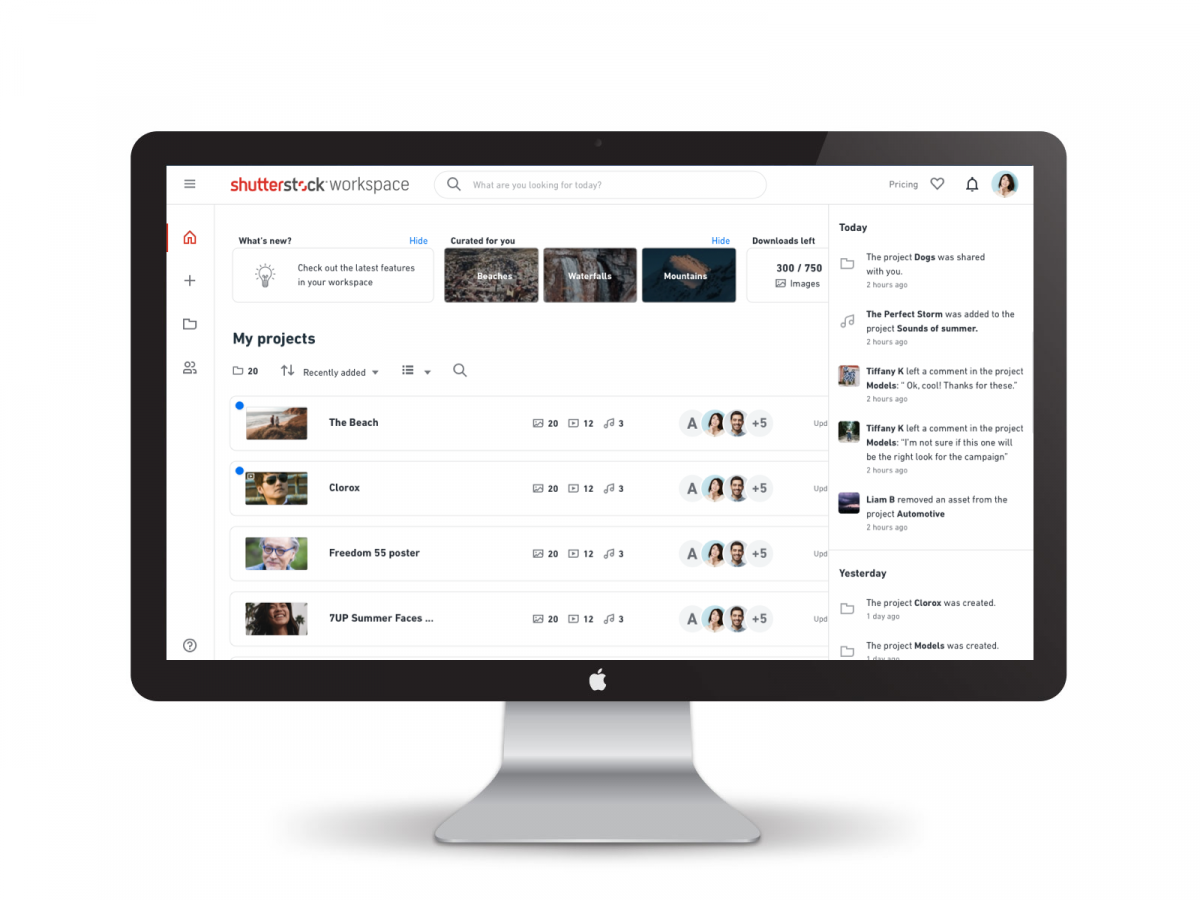
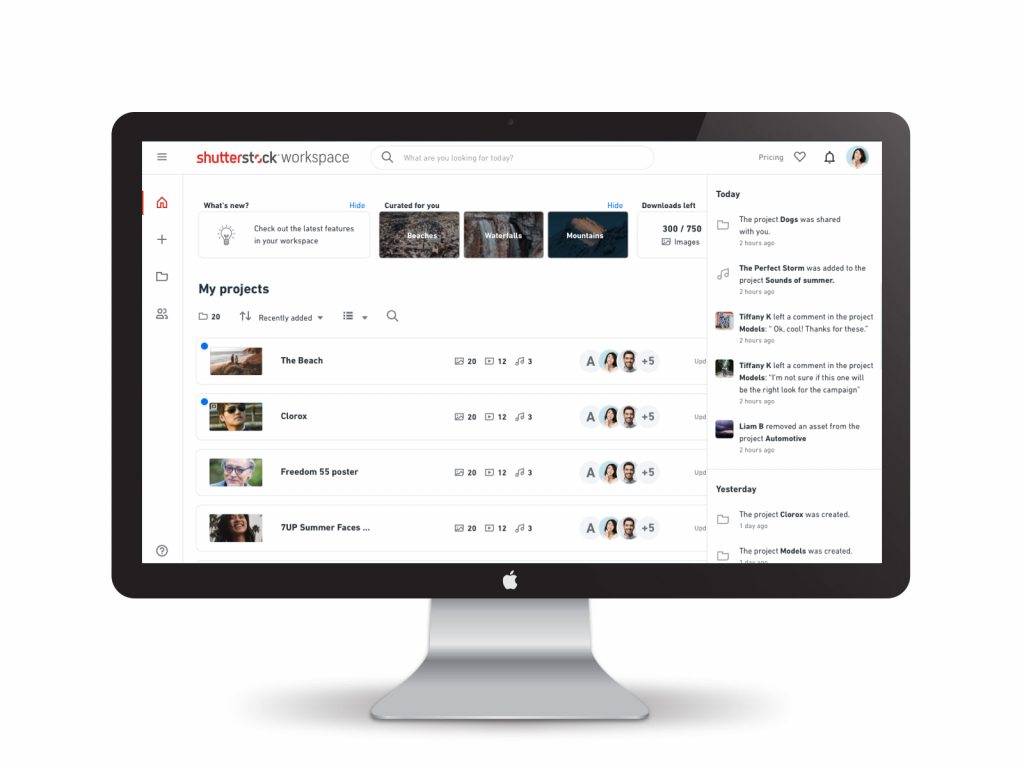
Accessible Organization – A home dashboard surfacing recent activity, saved albums, and team collaborators at a glance. No “where’s that asset we liked?” friction.
Visual Clarity with Smart Filtering – Mosaic grid for inspiration, detailed list view for management. Filter and sort by contributor, tags, and custom labels. Teams organize assets contextually instead of flat lists.
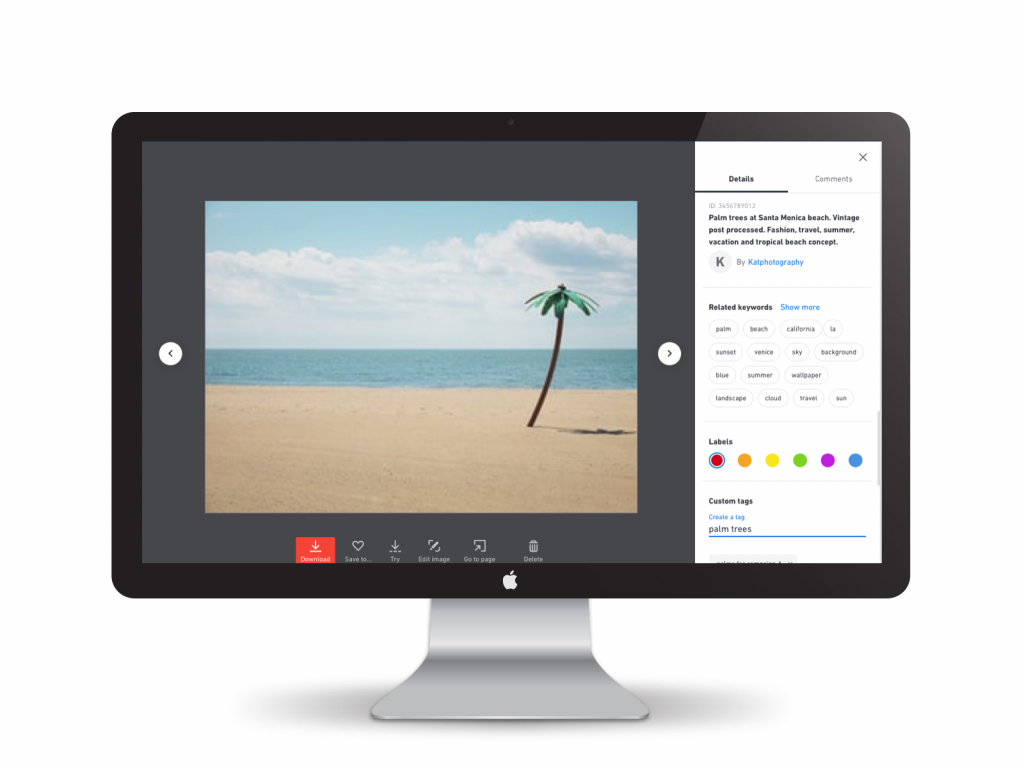
Feedback Embedded in Context – Inline annotations let teams click directly on asset elements, mark coordinates, tag collaborators, and start conversations tied to that spot. Feedback stays grounded in what it’s about.
Design and Execution
I moved from strategy to hands-on design across multiple iterations. Low-fidelity wireframes explored information architecture. High-fidelity mockups in Sketch and prototypes in Principle tested interactions like drag-and-drop and the annotation panel.
User testing revealed that teams immediately understood the home dashboard and filtering, but annotation felt buried. I surfaced it as a primary interaction. I also developed clear, conversational microcopy and worked closely with engineering on edge cases and responsive behavior.
Key Features
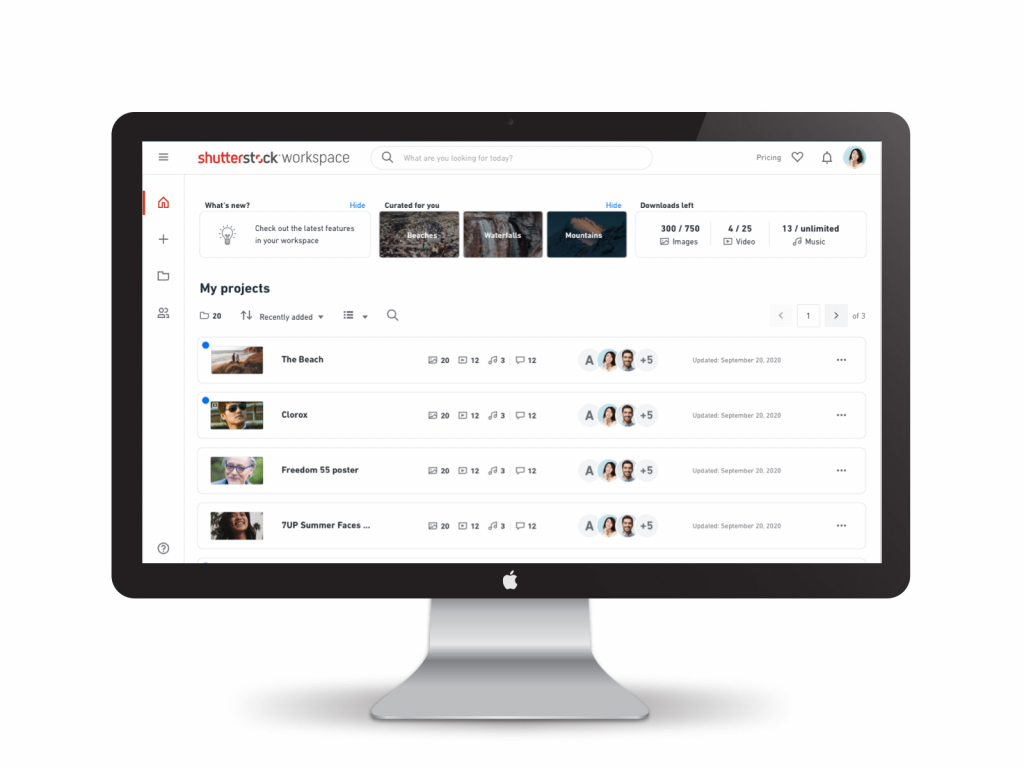
Workspace home with latest albums, team activity, and inspiration
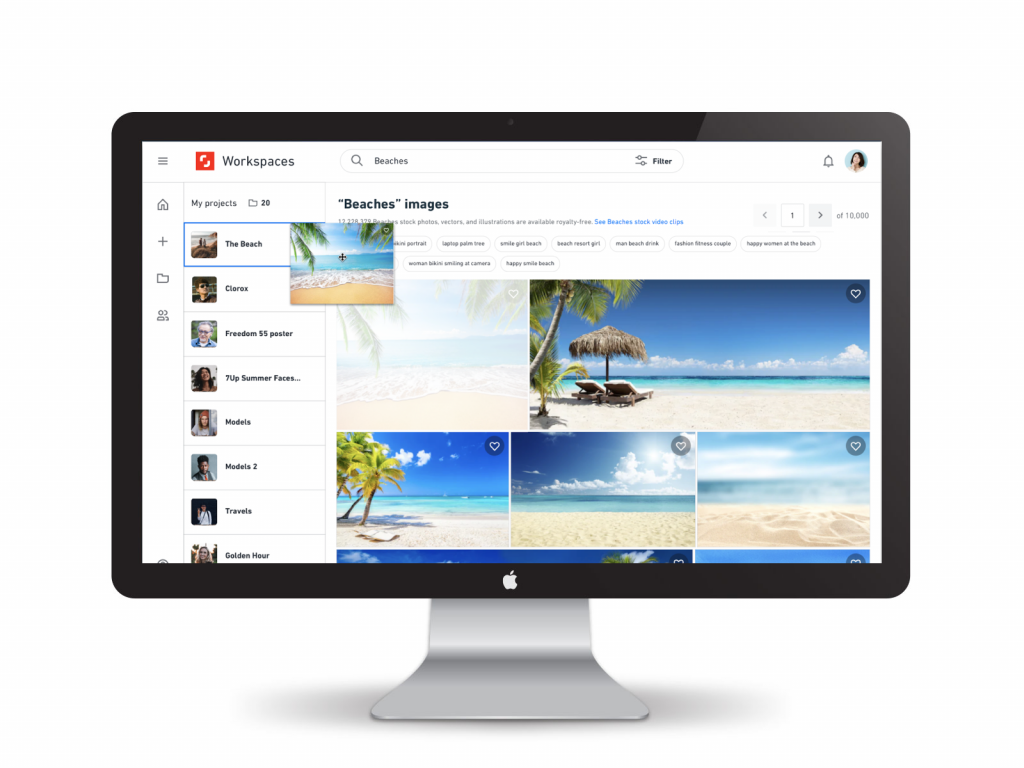
Drag-and-drop integration so teams save assets while browsing

Drag-and-drop integration so teams save assets while browsing
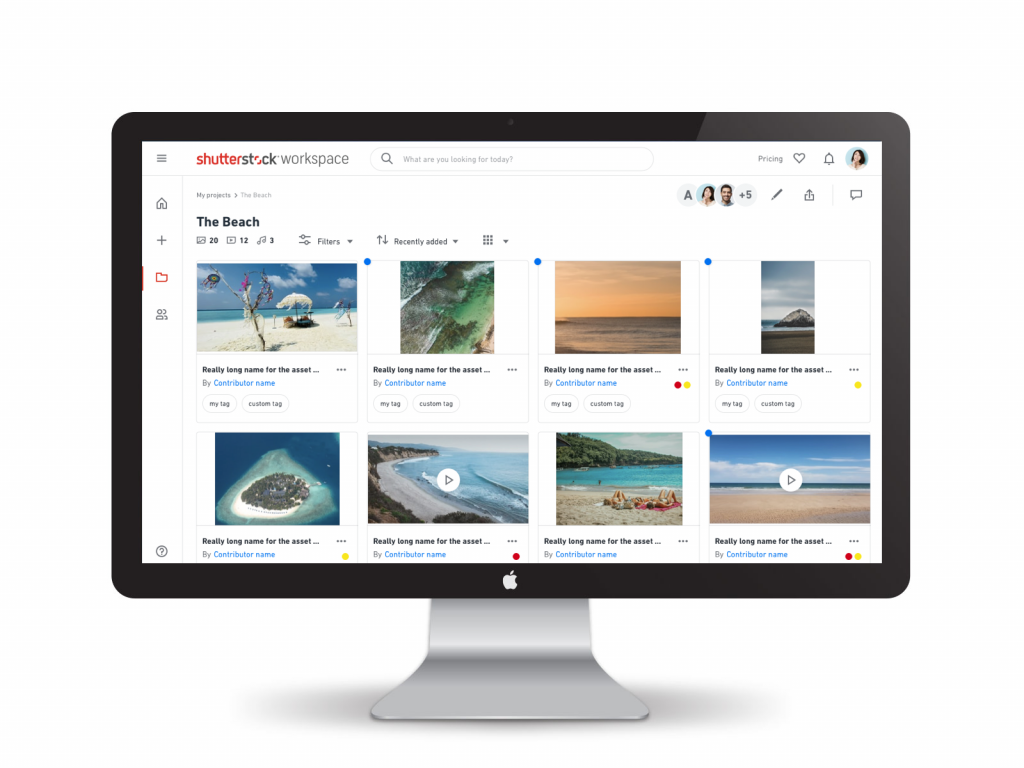
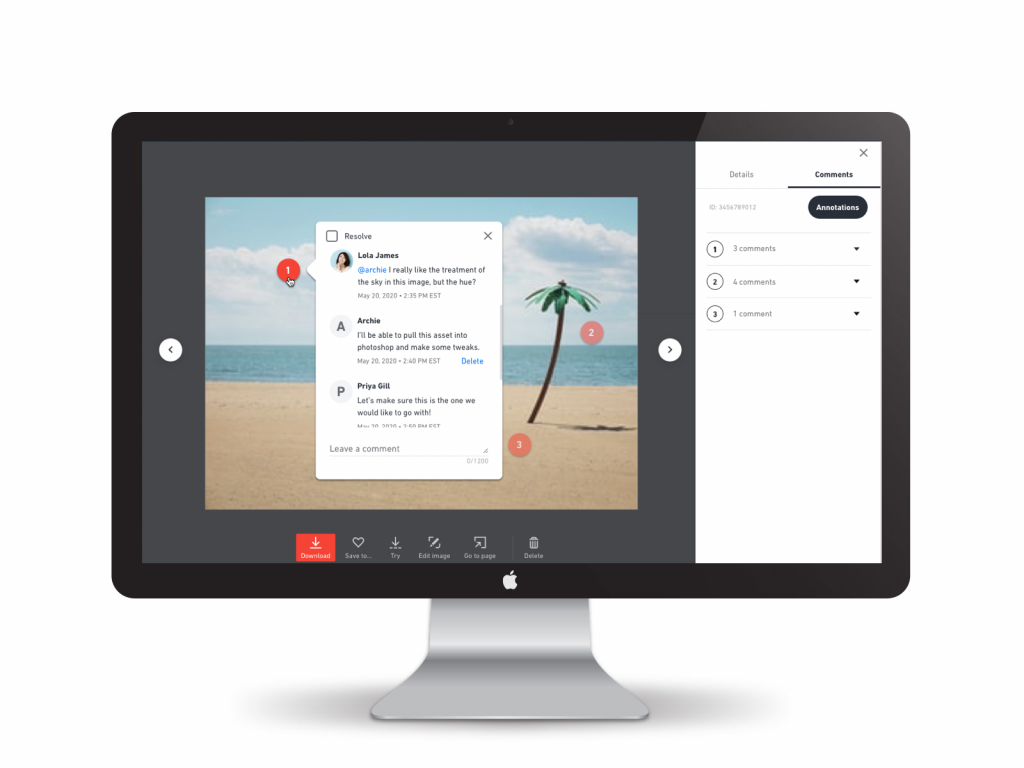
Inline annotations on specific asset elements with tagged conversations
Impact
Workspaces launched to strong adoption. Teams collaborated faster, approvers asked fewer clarifying questions, and creative leads moved projects forward without chasing approvals across Slack.
Three insights stuck with me: context is everything (feedback on specific elements beats generic comments), transparency reduces friction (shared feeds and libraries mean no surprises), and integration matters more than isolation (tools that live inside existing ecosystems win over standalone alternatives).